


Golf Cart Controller Location Detective: EZGO, Yamaha, & Club Car Locations Revealed

Whether you're chasing smoother acceleration, troubleshooting inconsistent power, or planning a controller upgrade, knowing where the golf cart speed controller is located, can save you time in the shop and headaches on the course. It’s one of the most common points of confusion, especially since its placement varies significantly between brands and models like Club Car, EZGO, and Yamaha.
With over a decade of hands-on experience in golf cart diagnostics and electrical systems, I’ve seen firsthand how often controller-related issues affect performance. In many cases, carts that appear to have motor or battery problems actually suffer from a failing or poorly connected controller.
Before we pinpoint the controller location for each major brand and model, it’s important to understand what the speed controller does and why it's such a critical component in the overall drive system.
What Is a Golf Cart Speed Controller?
The speed controller is the electronic brain of your golf cart, regulating how much power flows from the batteries to the motor. It controls acceleration, speed, torque, and, on some models, even braking.
A properly working controller ensures smooth starts, steady performance on inclines, and consistent speed control. When it begins to fail, symptoms can appear quickly such as delayed acceleration, jerky movement, or total loss of power. Without a functioning controller, the cart's drive system becomes unstable or completely unresponsive.
Club Car Speed Controller Locations
Club Car offers a variety of models, and the controller location changes slightly depending on the year and series. Here’s where to look:
Club Car Precedent (2004–2008.5)
Location: Under the seat, in the middle of the battery bay
The controller is located underneath a black plastic divider
Club Car Precedent (2008.5–Present)
Location: Behind the aluminum plate mounted to the rear wall of the battery compartment
Note: Club Car Tempo models and newer follow the same configuration as the Precedent (2008.5–Present). You’ll find the controller behind the rear aluminum panel in the battery compartment.
Club Car DS
Location: Mounted directly to the frame behind the battery pack
Always accessed from beneath the seat, typically located behind the battery bay
Tip: Always disconnect your battery pack before working around the controller to avoid electrical shock or short circuits.
EZGO Speed Controller Locations
EZGO models vary by year and type, but most have a distinct black box-style controller with easy-to-identify placements.
EZGO TXT
Location: Under the seat, in the battery compartment
Look for a black controller box, often with a run/tow switch
EZGO RXV
Location: Inside the battery bay, under a black cover
May require removing a plastic panel for full visibility and access
Hot Tip: Dust buildup is common in EZGO RXV models. Use compressed air to clean the area gently and avoid electrical issues or overheating.
Yamaha Speed Controller Locations
Yamaha golf carts use highly modular designs. While most controller placements are under the seat, here’s a detailed breakdown:
Yamaha Drive / G29 (2007–2016)
Location: Under the seat, behind the battery bank
The controller appears as a compact black box
Yamaha Drive2 (2017–Present)
Location: Under the front seat, behind the battery pack
May require removing a black plastic panel behind the seat and a decorative “YAMAHA” panel
The unit could be located near the motor compartment, depending on the configuration
Older Yamaha G-Series
Location: Varies slightly by model but generally found under the seat, behind or near the battery pack
Look near rear cross bars or frame-mounted brackets
Always check for loose or corroded wire connections when inspecting Yamaha controllers.
Safety Tips for Accessing Your Golf Cart Controller
Accessing or servicing the speed controller involves working with high-voltage electrical components, which requires attention to safety protocols. Taking the proper precautions not only protects you from electrical hazards but also prevents accidental damage to sensitive electronic parts. Here are a few key practices to keep in mind before beginning any diagnostic or replacement work:
-
Disconnect the battery pack completely before touching anything
-
Avoid static discharge by grounding yourself before handling electronics
-
Use insulated tools and wear gloves to protect against voltage or cuts
-
Clean any corrosion with a wire brush and check for melted connectors or burnt smells
Signs of a Bad Speed Controller
If your golf cart isn’t performing as it should, the golf cart controller troubleshooting might be required and is one of the first components to inspect. Common symptoms of a golf cart controller include a cart that won’t move despite fully charged batteries, jerky or sluggish acceleration, or stalling under load. A repeated clicking sound often means the solenoid is working but the controller isn’t sending power to the motor. On newer models, error codes or warning lights may also indicate controller failure.
Should You Repair or Replace It?
Not every controller issue requires a full replacement. In some cases, a simple inspection and cleaning of corroded terminals, loose connections, or damaged wires can bring a non-responsive controller back to life. However, when the unit is internally damaged or showing signs of intermittent failure, replacement is often the more reliable solution especially if you depend on your cart for regular use or commercial service.
Here’s a general view of costs:
- OEM replacement controllers: $800+
- Aftermarket performance controllers: $650–$1000
- Labor (if outsourced): $100–$300
If you're upgrading batteries or motors, consider upgrading the controller at the same time for better torque and range.
Quick Reference Table: Controller Locations by Brand & Model
|
Brand |
Model |
Controller Location |
|
Club Car |
Precedent (2004–2008.5) |
Under seat, center of battery bay, beneath black divider |
|
Club Car |
Precedent (2008.5–Present), Tempo, Onward |
Behind aluminum panel in rear battery compartment |
|
Club Car |
DS |
Behind battery pack, mounted to frame, under seat |
|
EZGO |
TXT |
Under seat, near black controller box with run/tow switch |
|
EZGO |
RXV |
Inside battery bay, under plastic black cover |
|
Yamaha |
Drive / G29 |
Under seat, behind battery pack |
|
Yamaha |
Drive2 (2017–Present) |
Under seat, behind YAMAHA panel, near motor area |
|
Yamaha |
G-Series (Older) |
Under seat, near rear frame or battery area |
Looking for a Golf Cart Controller?
Understanding where your golf cart’s speed controller is located can save time and reduce guesswork—especially when you're troubleshooting performance issues, inspecting wiring, or preparing for an upgrade. Whether you’re working on a Club Car, EZGO, or Yamaha, having this knowledge upfront helps you approach the job with confidence.
Looking for a replacement or upgrade? Explore our full range of golf cart speed controllers or contact our team for expert guidance.
Related Products


Vendor: Navitas 440-Amp 36/48 Volt Series Controller Kit E-Z-GO

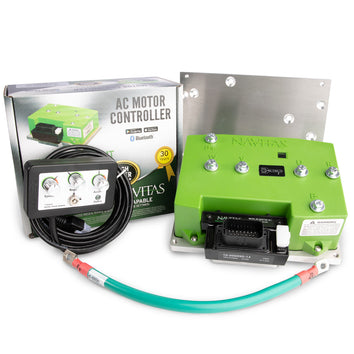
Vendor: Icon / Advanced EV Navitas TAC2 Controller Kit - 600 amp or 440 amp - for NEOS controller replacements

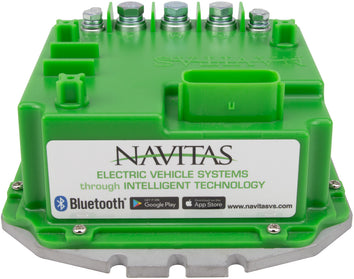
Vendor: Club Car Precedent / Onward / Tempo / IQ Navitas Controller Kit - 600 amp or 440 amp
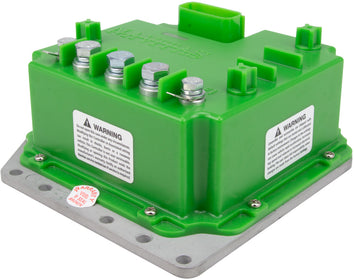
Vendor: Yamaha Navitas Controller Kit - 600 amp or 440 amp - Drive2 / Drive / G19 / G22


